Where to show prices on a Darwin service website
Plan where to display prices on a Darwin website, from fixed services and packages to travel costs, booking steps and quote-based projects.
 Robert TicknerWeb design and local SEO
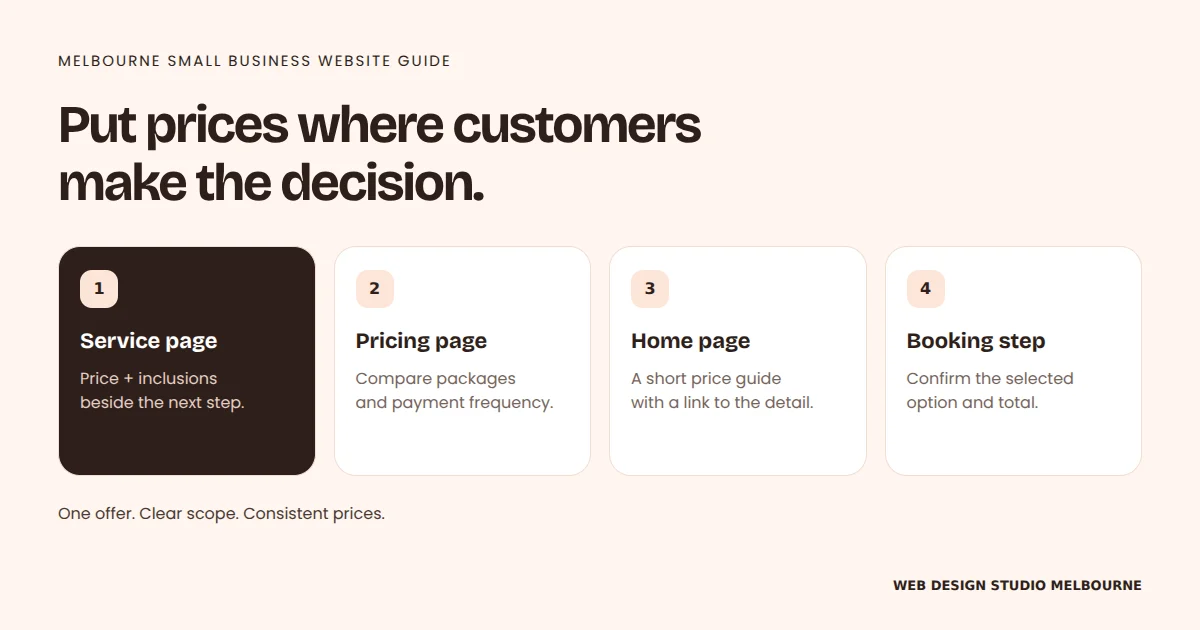
Put the relevant price beside the inclusions and enquiry button on your service page.
Use a pricing page to compare packages, and link to it from related services.
Give your Home page a short price guide, then confirm the total before booking.
For custom work, explain what changes the quote instead of guessing a fixed price.
On this page
Customers want to know whether your service fits their budget before they call. You do not always need a single fixed price, but you do need a clear explanation of what the price covers and how they can get a quote.
For a Darwin service business, travel, job size and access may change the total. Put that context beside the number, rather than leaving customers to find conditions after they enquire.
Put a useful price on the relevant service page
If the service has a fixed price, show it where you explain the service. Include the unit, duration or package size. A visitor should understand whether the figure covers one appointment, one item or a whole project.
If you use a starting price, explain the basic scope and the factors that can increase it. A low headline without that context can create enquiries based on the wrong expectation.
Use a pricing page for genuine comparisons
A dedicated pricing page helps when customers choose between packages. Compare the inclusions in the same order and explain the ongoing costs. Avoid making people switch between several pages to work out the total commitment.
The website cost guide shows how build fees and monthly plans answer different questions. Keep those amounts separate and label them clearly.
Explain quotes without hiding the process
For project work, explain what you need before providing an estimate. A trade business might ask for the suburb, a short job description and photos. A consultant might need the objective, scope and timing.
State any inspection or travel fee before the customer books it. If your regular coverage stops at a particular area, explain how work farther away is priced.
Keep booking prices consistent
The service page and booking tool should describe the same offer. Check duration, deposits, optional extras and any price differences between appointment types. If the customer leaves your site to book, give them a clear handoff.
When prices change, update every place they appear. Include downloadable menus, campaign pages and any automated messages your team controls.
Review the questions customers still ask
Listen to enquiries for signs that the pricing explanation is unclear. Repeated questions about inclusions or extra fees show where the page needs more detail.
Start with one main service, improve its price explanation and test the customer path. Our Darwin web design service can help make that information easier to find.
Robert Tickner
Web designer, Web Design Studio Darwin
Robert helps businesses plan clear websites, useful service content and practical enquiry routes. He connects the website brief with the customers and work the business wants.
Published .
Business examples are illustrative; they are not reported client results.